

Senior Fullstack Engineer
A New Look for Firezone
We’re introducing a redesigned Firezone UI to make managing secure access faster, simpler, and more intuitive.
Over time, Firezone has grown alongside the teams that rely on it. Along the way, we’ve learned how people use it day to day and where things could be simpler.
This update brings those improvements together in a cleaner, more streamlined experience, while also laying the groundwork for new features to come.
What you’ll notice
-
A simpler, more organized layout
Find what you need faster with a clearer structure and navigation. -
Easier access management
Quickly understand and control who has access to what. -
Smoother workflows
Common tasks now take fewer steps and feel more intuitive.
No surprises where it matters
While the interface is changing, everything under the hood stays the same:
- Your existing setup continues to work
- No changes to connectivity, Clients, or Gateways
- No disruption to your team’s access
What’s new
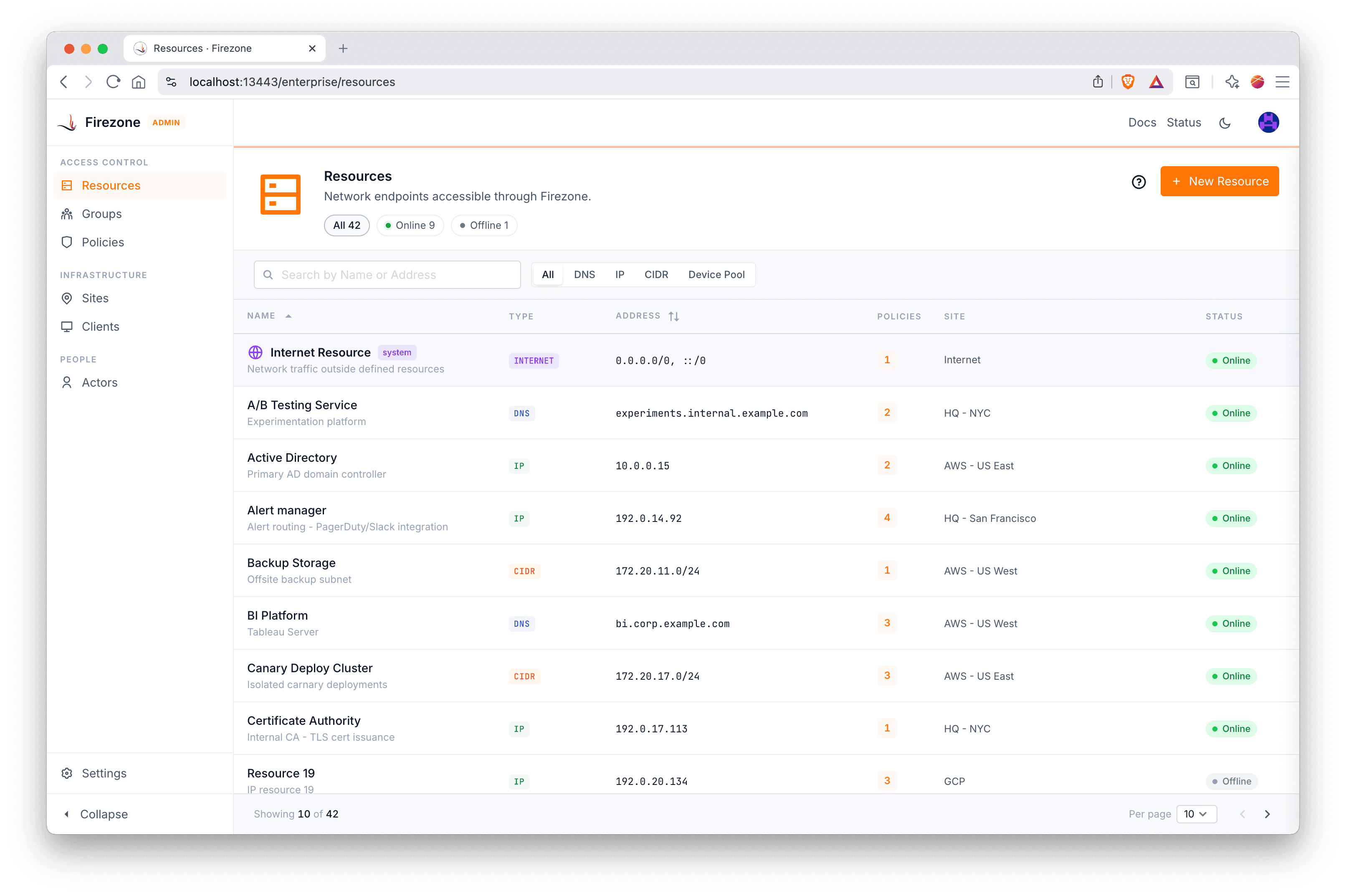
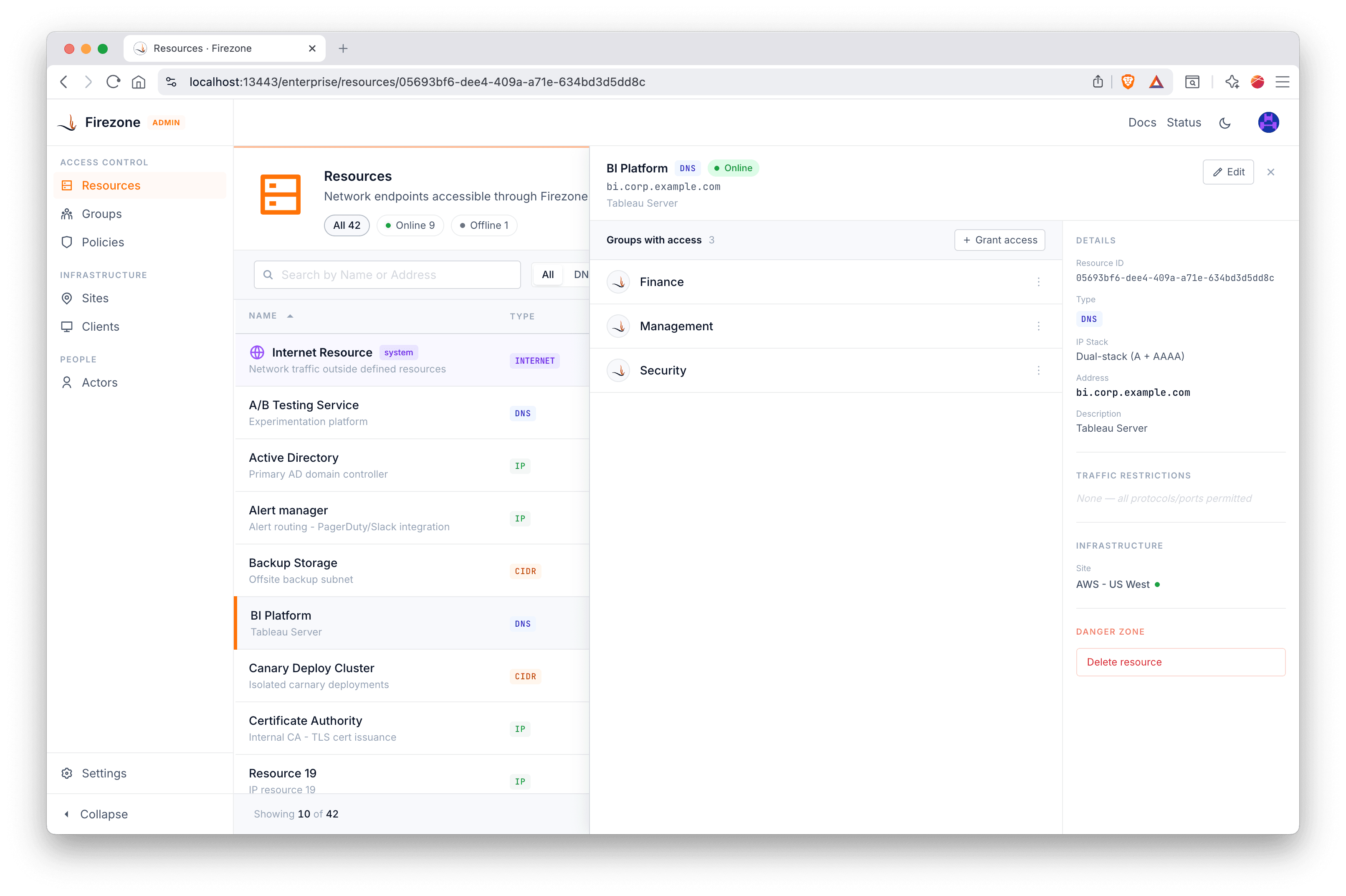
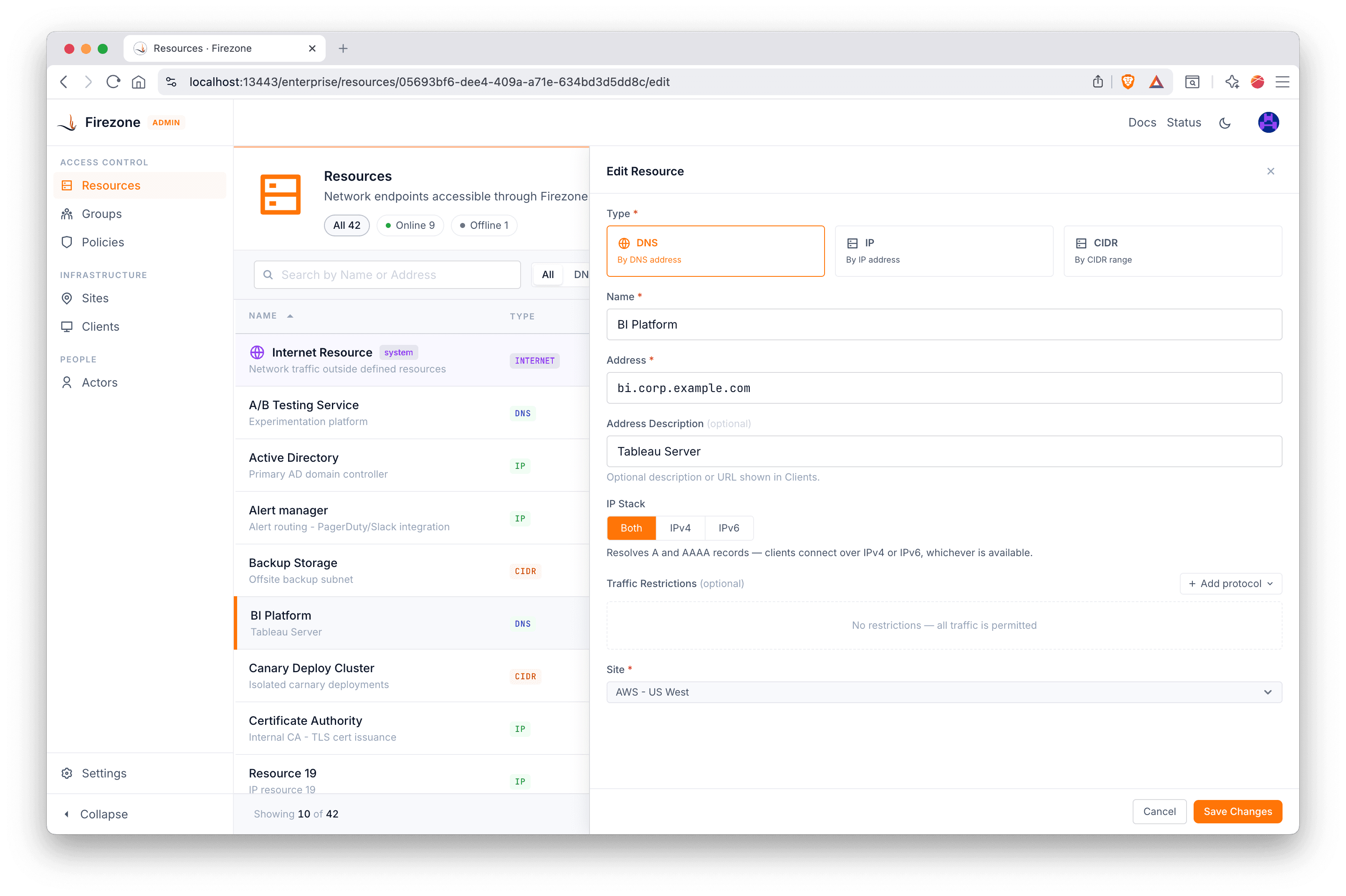
Stay in context while you work
In the previous UI, viewing or editing an item required navigating away from the current list you were viewing. This made it difficult to make changes or move quickly between related items, as you were constantly going back and forth between pages.
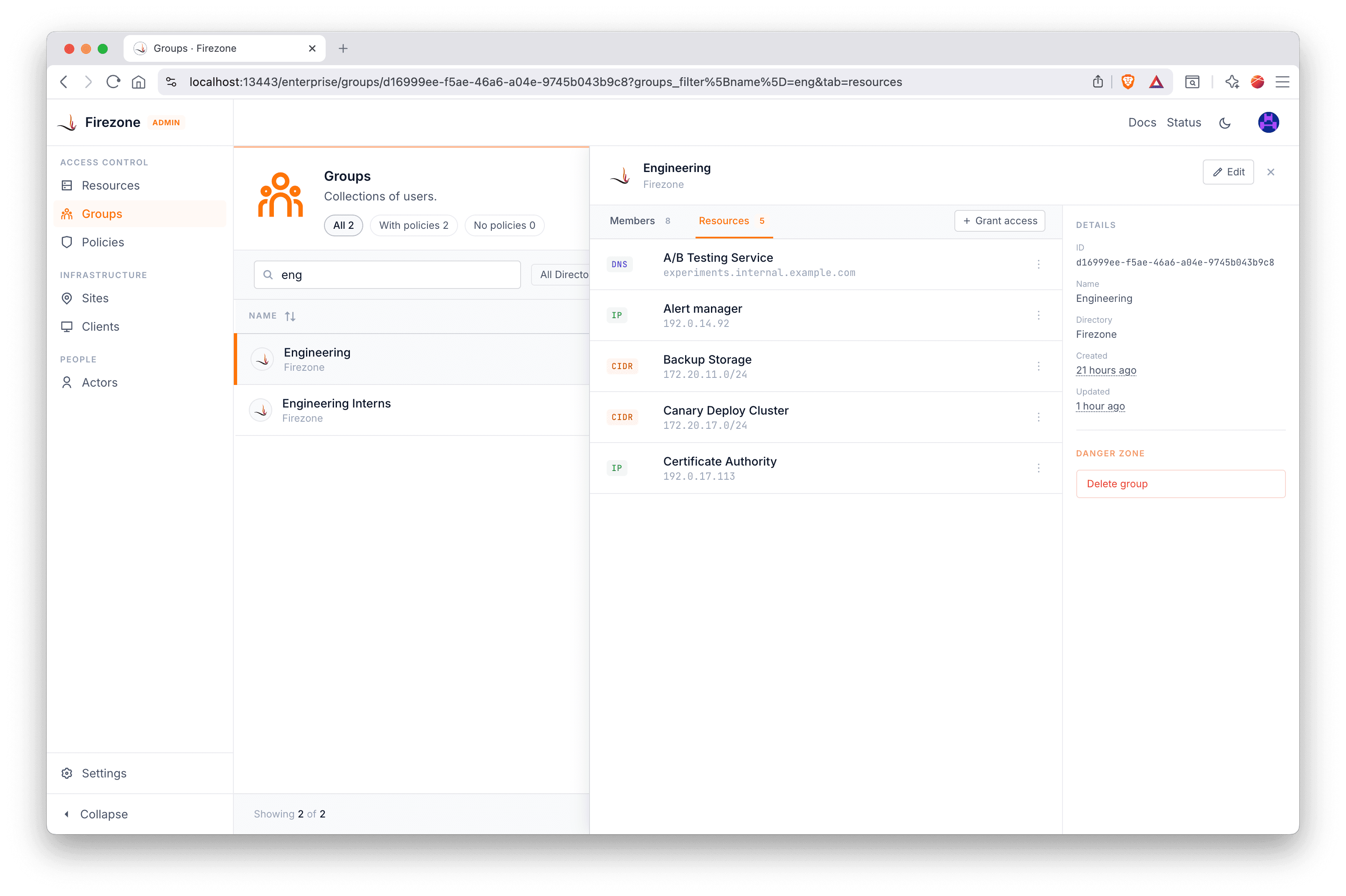
In the new UI, selecting an entity opens a side panel instead of replacing the entire page.
Higher information density, less scrolling
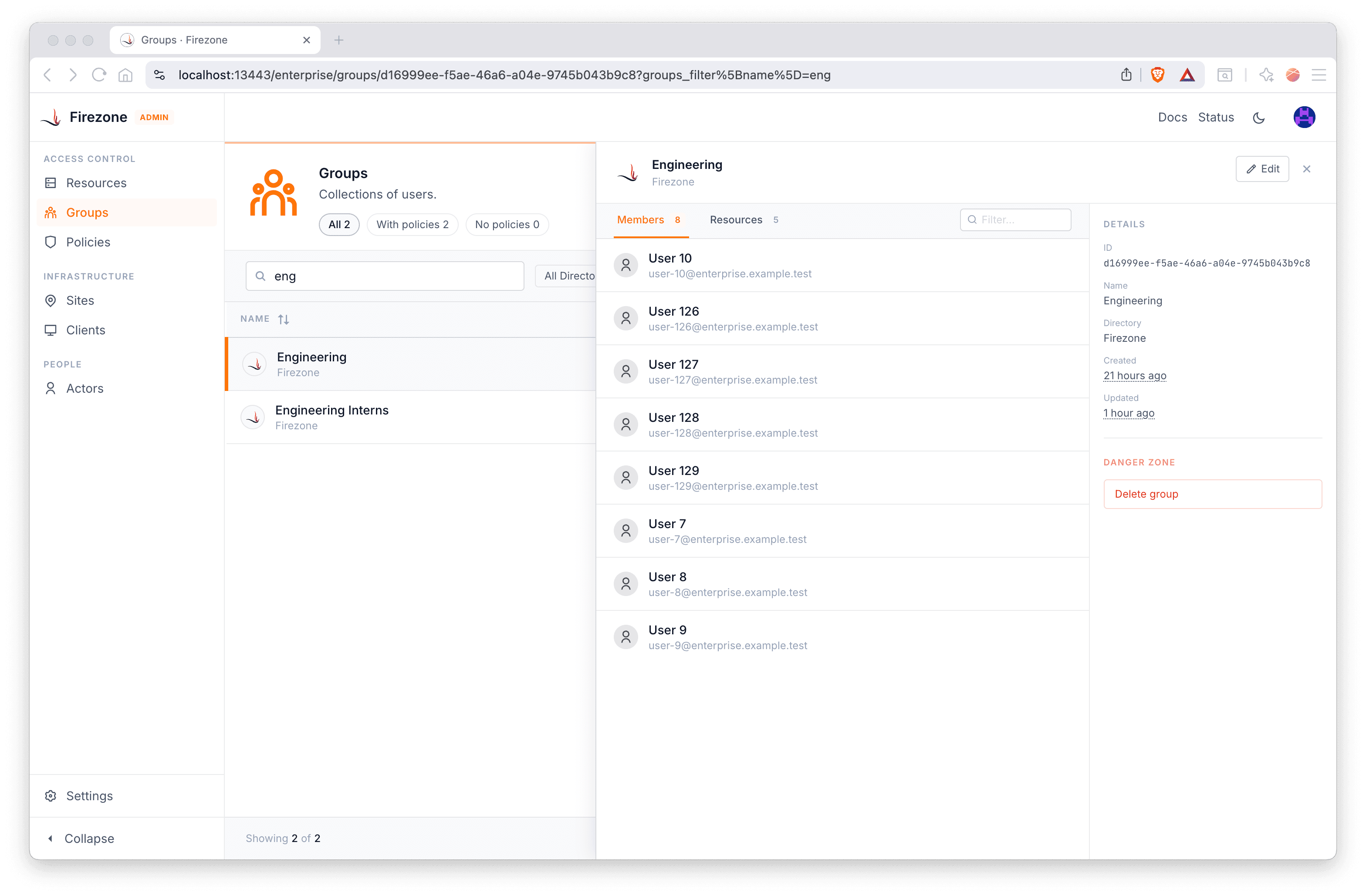
Another major improvement is how much information you can see at once.
In the previous UI, important information was often spread across multiple screens or required scrolling to piece together the full picture. This made it harder to quickly scan entities or compare configurations.
The new UI is designed to present more relevant information up front without overwhelming the interface.
Streamlined workflows
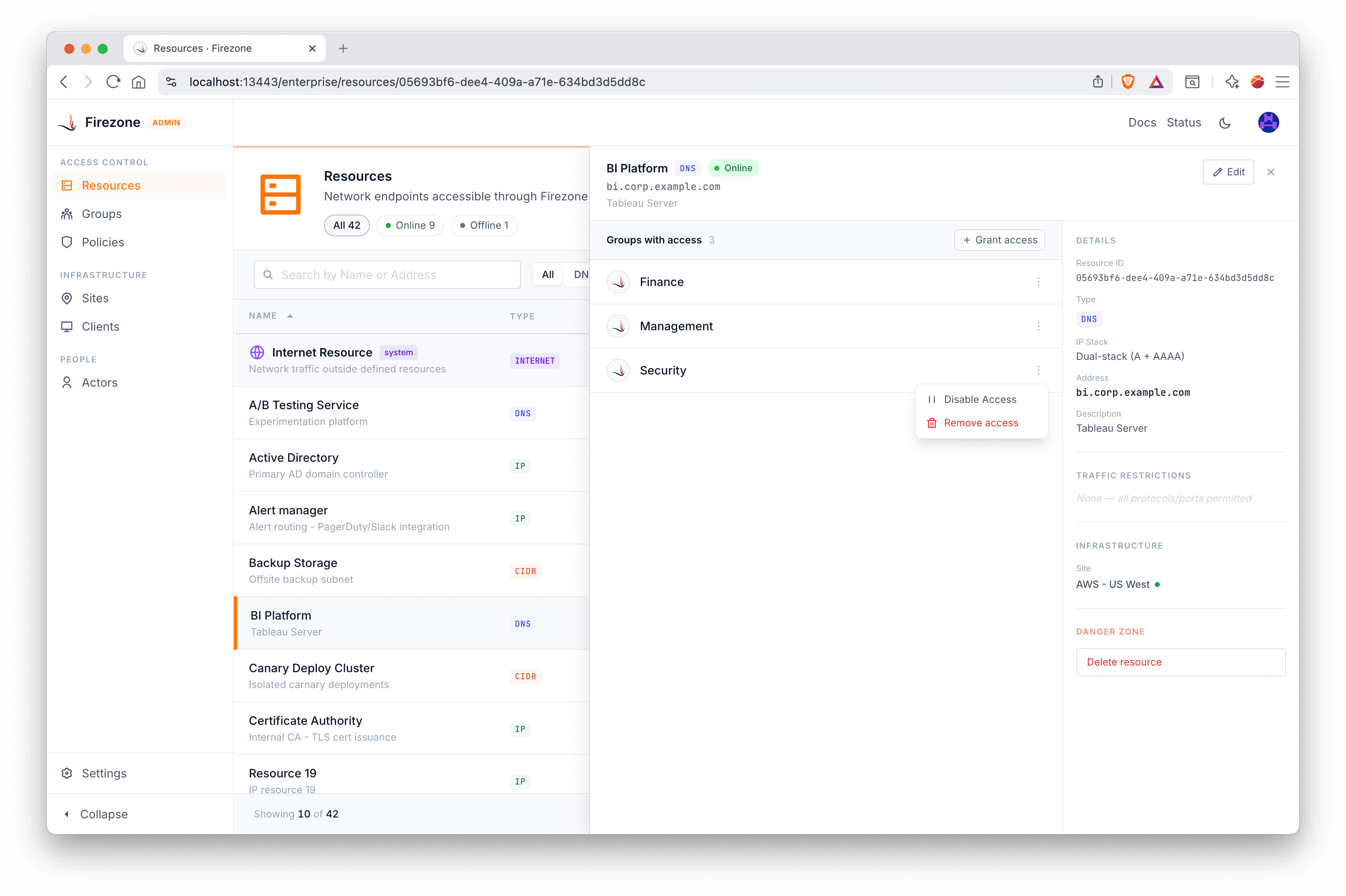
Common tasks like granting access or connecting to resources now require fewer steps and less context switching.
Combined with the new in-place editing and higher information density, this makes day-to-day operations significantly faster.
Choose your starting point
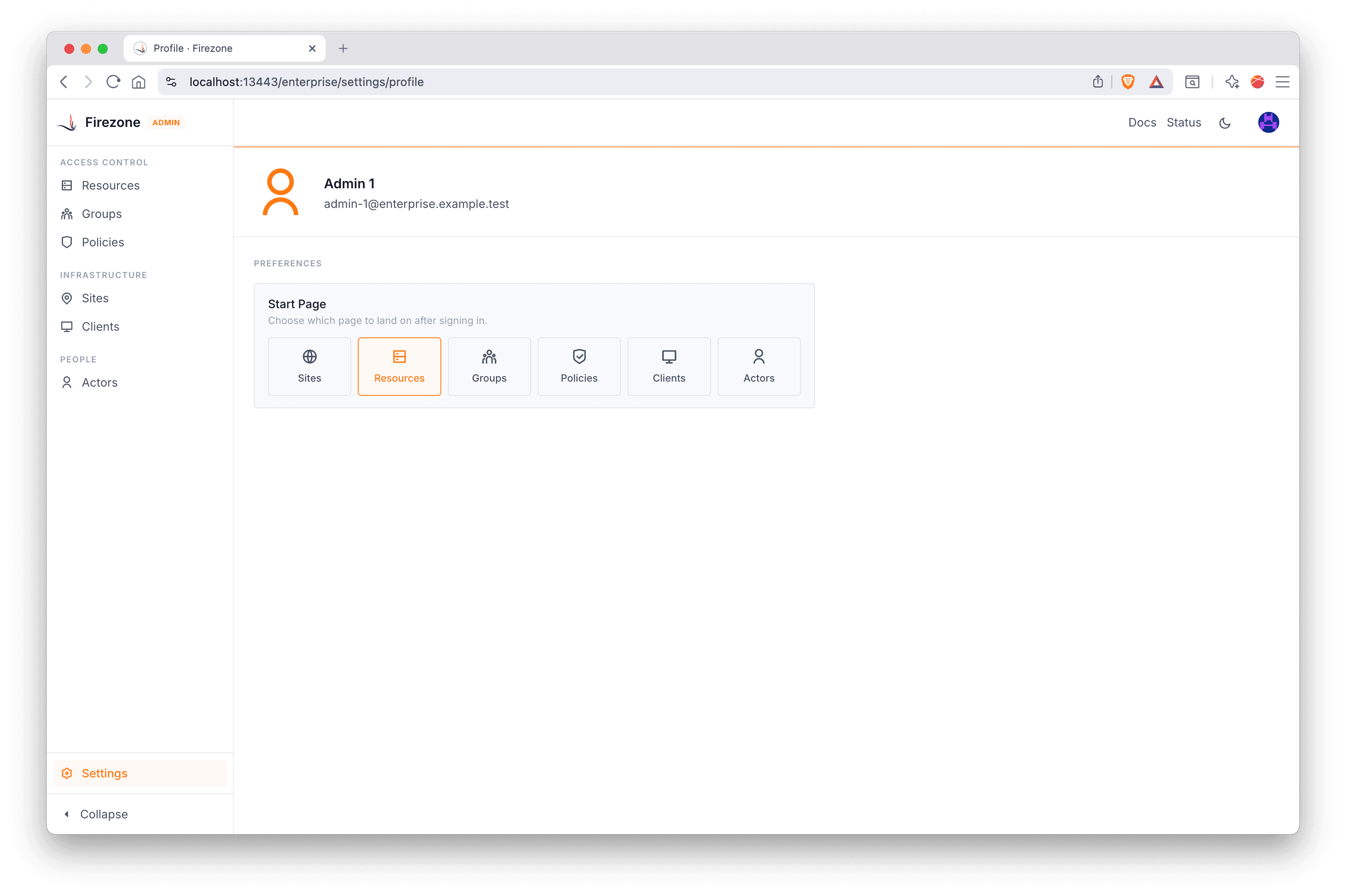
You can now configure your preferred starting page when logging into Firezone.
Whether you’re primarily managing resources, reviewing policies, or monitoring activity, Firezone can take you directly to the part of the system you use most.
This reduces unnecessary navigation and helps you get to work faster.
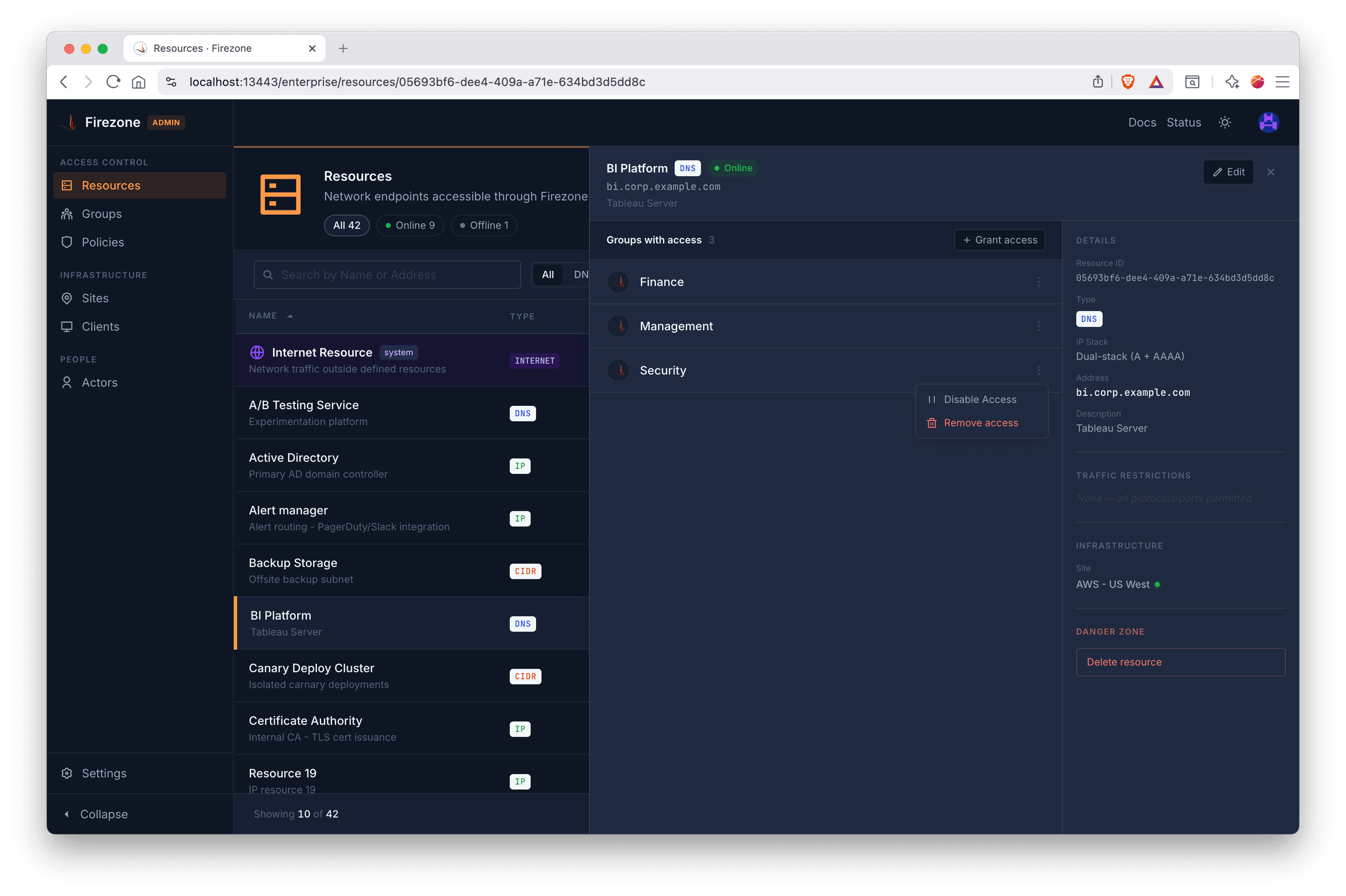
And finally the most important new feature...
Dark mode!
What to expect
We’ll begin rolling out the new UI soon, along with guides to help you get familiar with the changes.
Built in the open
Firezone is open source, and this redesign is driven by feedback from users like you. We’re excited to keep improving it together.
Stay tuned for more updates as we roll this out to all users!